Complex Flows
It is possible to create complex authentication flows with many options and conditionals. Each application use case is unique, and it may be necessary to combine some of the examples from the other sections in order to meet your specific needs. While no one guide can be comprehensive in this regard, we present a real-world example to help you understand how different authentication methods can work together in a single flow.
Example scenario
In our example scenario, we will have some users authenticating using social providers, some using external, enterprise SSO providers, and some using username-password with a requirement of at least one second factor. This is a common setup for many enterprise SaaS applications.
Required actions
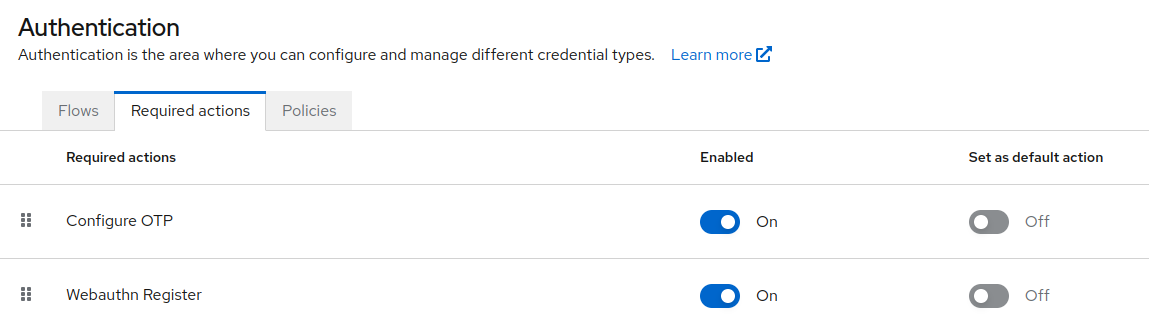
As detailed in the previous sections, you may need to enable OTP and WebAuthn required actions in order to provide these options for 2FA for your users in this flow. If you want to force a method, you can also enable Set as default action.
Social providers
For information on setting up social identity providers, we covered setup in the configuring social providers section.
Enterprise SSO
For users who sign in with their company's identity provider, add the email-first discovery steps described in Enterprise SSO before the password form, so those users are redirected and everyone else continues to the password and second-factor steps.
Second factor
Keep the conditional OTP sub-flow from the default browser flow, and add alternative steps for the other second factors you offer, such as WebAuthn or Email OTP. Users with more than one second factor set up can pick one with Try another way.
For a tested, step-by-step build of a flow like this, see Build a Custom Keycloak Authentication Flow.
Login UI

